Review Comments (0) Screenshots (4) Questions & Answers (0) Votes (6) Awards (16) Wiki  
-Please log in to rate
4.7 4.7/5 (6)
-X-Ways Software Technology AG
-15.4
-www.x-ways.net
-Shareware
- 53.31$  Purchase
- 1 791 person
Download WinHex

1.38 MBDownloaded 846 times


Review

This review applies to version 15.1 The latest version of this software will soon be reviewed by our informers.

WinHex is a fully fledged Hex-Editor for all your number crunching cravings. It is available in many versions like Personal/Professional/Specialist/Forensic, with the capabilities varying between the license types. As it supports a forensic mode, it is capable of handling large files as well (which lets down the other Hex-Editors). In simple sense, a Hex-Editor/Viewer displays all the details of a file, unlike a text editor for example, which shows only the characters and omits the control characters like Carriage Return, etc.
WinHex is capable of handling anything that you throws at it, be it a large executable file and even a text file. It supports two modes, Text mode and Hex mode (in which it shows the Hexadecimal values). What makes it different from the other Hex-Editors available is its feature set. It is capable of opening and displaying the Physical Memory (RAM) and even editing the values (Dangerous unless you are an expert). It shows the loaded and running processes, and you may choose which part of memory to be loaded or you may load the whole memory. Another feature is its capability to load the Disk Drives (Binary Data) as they are. This makes it a must for forensic use, as it doesn’t hide anything and shows the disk as it is (which adds up a Data recovery technique). This tool is capable of editing disks as well. When used in forensic mode, the editor is opened in Read-Only-Mode, which is mandatory, as any unintended change to data is unacceptable. It has native support for the many file systems used like FAT, NTFS, Ext2/3, ReiserFS, Reiser4, UFS, CDFS & UDF and built in interpretation support for RAID systems and dynamic disks. It has built in data type interpreter which understands around 20 different data types. Moreover, we can use it to repair boot sector/partition table and also for concatenating/splitting/comparing /analyzing files. It has scripting support with built-in APIs. Due to its feature rich interface, it may also be used for disk cloning/backup purposes. It supports 256 bit AES encryption and also CRC, hashes like MD5, SHA-1, etc. It may also be used for wiping data securely, leaving behind no traces.
Advantages
  • 1. Fully featured hex-editor with tabs support and switching between tabs is easy.
  • 2. Capable of handling large files (>4 GB).
  • 3. Built-in data interpreter.
  • 4. Capable of opening and editing hard disk drives and Physical memory (RAM).
  • 5. Fast and bug-free operation.
  • 6. Supports encryption, and capable of wiping data securely.
  • 7. Various data recovery techniques.
Disadvantages
  • 1. License cost could have been brought down for personal usage.
  • 2. Nothing else to be said as a disadvantage.

Reviewed by: Farhan Anwar

Reviewer rating: Editor's rating 5

Screenshots

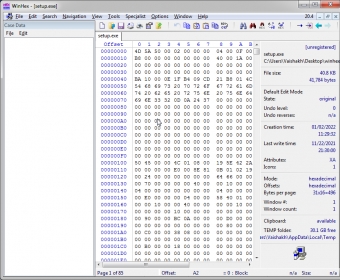
Viewing data in physical memory (RAM) Viewing data in physical... Hex-view of an executable file (.exe) Hex-view of an executable... Viewing a logical disk on hard drive. Viewing a logical disk on... Main Window Main Window

Latest comments


There are no comments, be the first one!
Add new comment
Tag cloud Extensions
.whs WinHex Script
.whx WinHex Backup File
.xfc X-Ways Forensics Case File
Download siClient

Email Address:

Password:

Register now »

Forgot password?

Copyright © 2009, Informer Technologies, Inc. About| Privacy and terms| Help| Feedback